
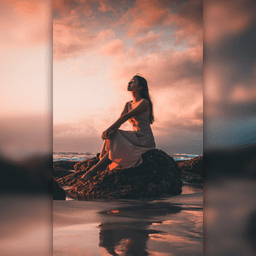
Screenshots
About InstaSquare Photo Editor
InstaSquare Photo Editor is the ultimate photo editor and collage maker designed for Instagram, WhatsApp, Facebook, Snapchat, and Messenger users who want professional-quality edits without the complexity.
Transform your photos with a complete suite of editing tools built for social media. Create perfect Instagram square photos with no-crop layouts, apply stunning blur effects to backgrounds, and adjust every detail with intuitive controls. Whether you're rotating, resizing, mirroring, or zooming, each gesture-based tool feels natural and responsive. Add custom text with 50+ typefaces, choose from 500+ stickers and emojis, and select 200+ fashionable backgrounds to personalize your image exactly how you want it.
Experience creative freedom with 100+ professional filters and 50+ magical photo effects that transform ordinary photos into eye-catching content. From retro VHS and glitch effects to sketch, pixel, and cartoon styles, every filter is designed to make your pictures stand out. Apply leak light effects, motion blur, zoom blur, and emboss in one tap—no technical knowledge required. Each filter is crafted to bring unique character to your photos while maintaining image quality.
Create stunning collages in seconds using the integrated photo collage maker. Select 1 to 12 pictures and choose from 100+ layout templates, then customize grid sizes, borders, and backgrounds to match your style. Drag and drop to adjust image positions, or use freestyle mode to create your own scrapbook design. The collage maker gives you complete control while keeping the process simple and fast.
Choose from multiple aspect ratios including 1:1 square, 4:5, 3:2, and more to match any platform's requirements. The no-crop feature preserves your entire image while adding stylish borders or backgrounds, perfect for maintaining full composition. Adjust brightness, contrast, and saturation to fine-tune colors, or use the color brush to paint directly onto your photo.
Share your creations instantly to Instagram, Facebook, WhatsApp, and other social platforms with built-in one-tap sharing. Export HD images to your gallery for high-quality results every time. InstaSquare Photo Editor combines powerful editing capabilities with an intuitive interface, making professional photo editing accessible to everyone.
Pros & Cons
Pros
- 100+ filters and 50+ effects transform photos with one-tap application
- Integrated collage maker supports 1–12 images with 100+ customizable layouts
- No-crop feature preserves full image composition while adding borders
- Multiple aspect ratios (1:1, 4:5, 3:2) match different platform requirements
Cons
- Free app model likely includes ads that interrupt your editing workflow
- Requires account creation or login before accessing full editing features
- Large filter and effect library may feel overwhelming for casual users
- Exporting HD images consumes significant device storage space over time
Related Apps

GIMP
Open-source photo editor and digital art studio with professional tools for retouching and illustration.

Paint.NET
Free photo editing software with layers, effects, and unlimited undo for Windows.

Photoscape
Photo editor with viewer, collage maker, GIF creator, and batch tools—all in one free app.

3D Emoji Face Camera
KEVIN STUDIO
3D emoji face camera with live filters and animated effects. Create fun selfies instantly.

Profile Picture Downloader HD
helalik
Download Instagram profile pictures in HD — no login required, view and save instantly.
Beauty Camera Plus
Photo Created
Photo editor with beauty filters for selfies, portraits, and real-time enhancement — free download.
Latest Articles

Play a free Color Ball Sort Puzzle-style game in your browser (no download)
Oct 6, 2026

Play a free Beach Buggy Racing-style kart racer in your browser (no download)
Oct 6, 2026

Play a free Alto's Adventure-style game in your browser (no download)
Oct 6, 2026

Free online whiteboard like Jamboard: use Quickboard in your browser, no signup
Oct 6, 2026

Free online running pace calculator: splits, race predictor and daily challenge, no download
Oct 6, 2026